Knowledge Base
- Home
- Roles ▼
- Registration ▼
- Main Dashboard ▼
- Project Management ▼
- Crew Management
- Resource Management ▼
- Form Builder ▼
- Safety Management ▼
- Documentation Management ▼
- New Submission
- Global Communications
- Timesheet Management ▼
- Reports ▼
- Chats
- Time Off Management
- Profile
- Subscriptions
- Location Tracking Behavior on iOS and Android
- FAQs
- Troubleshooting
Audits
Creating an Audit (Web Only)
An audit is a systematic process of objectively examining and evaluating a company’s financial statements or operational processes to ensure accuracy, compliance with applicable laws, regulations, and standards, and to assess risk management practices. It involves collecting and analyzing evidence to determine whether the information or conditions under review reflect the true state of the company. Audits can be conducted internally by employees of the organization. They are crucial for maintaining transparency, enhancing operational efficiency, and safeguarding stakeholders’ interests.
An audit in Geo-Cx can be submitted by either a Foreman or a Construction Manager with the Safety Rep. However, only a Construction Manager has the ability to design an audit and determine its frequency. To create a new audit, please follow these instructions:
Audit List Overview
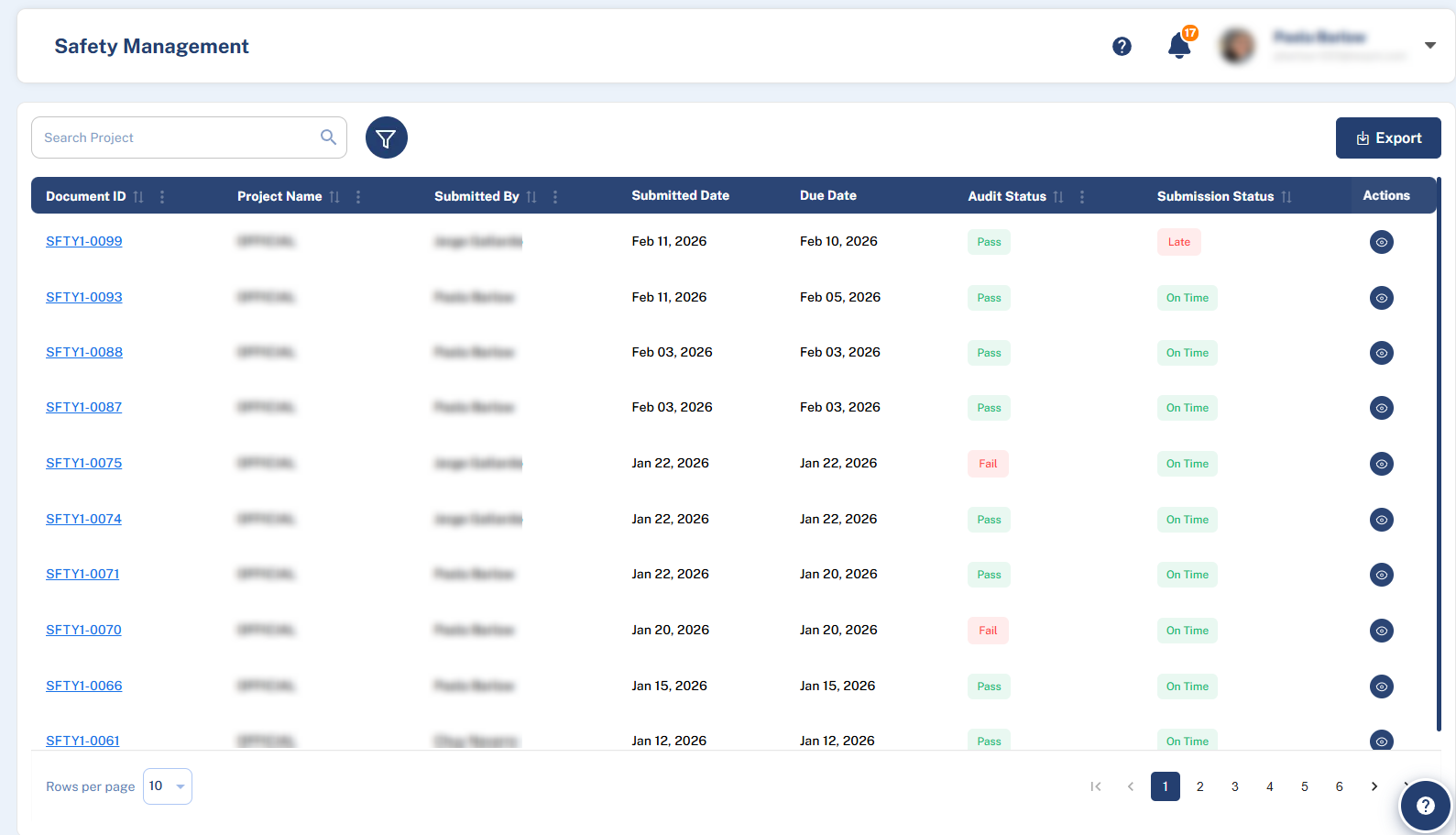
The table displays all audit submissions with columns:
Document ID
Project Name
Submitted By
Submitted Date
Due Date
Audit Status
Completion Status
Actions
Working with the Audit List
Search & Filter:
Use the Search Box at the top to find audits by Project name.
Click the filter button to open advanced filters: Start Date, End Date, Project, and Audit Status.
Export: Use the Export button at the top-right to download an Excel report of the audits.
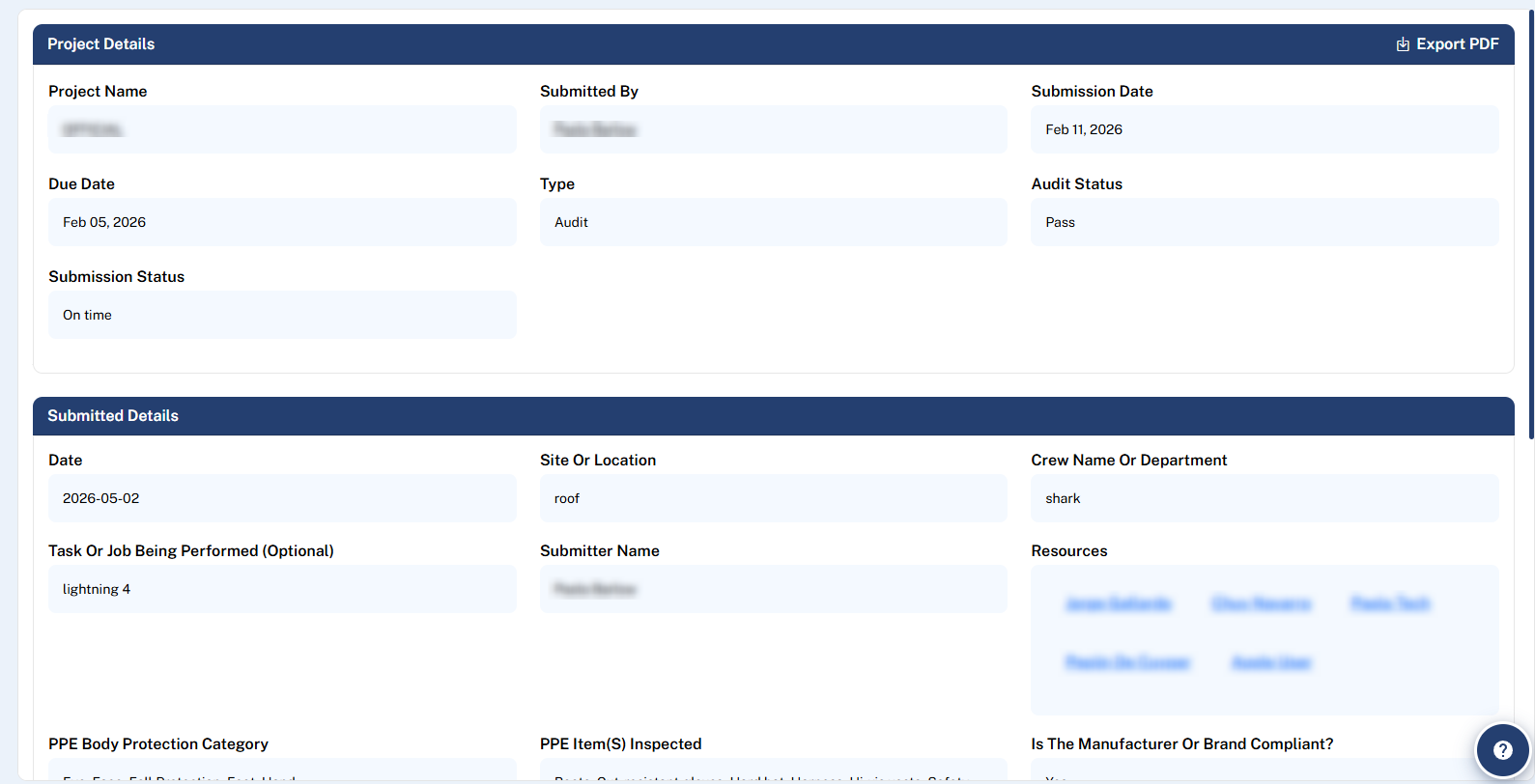
3. View Audit Details: Click the View button in the Actions column. This opens a web-formatted report of the submission, providing a clean, readable view of all the data. From this view, you can use the Export PDF button (top-right) to generate a PDF if needed.