
Knowledge Base
- Home
- Roles ▼
- Registration ▼
- Main Dashboard ▼
- Project Management ▼
- Crew Management
- Resource Management ▼
- Form Builder ▼
- Safety Management ▼
- Documentation Management ▼
- New Submission
- Global Communications
- Timesheet Management ▼
- Reports ▼
- Chats
- Time Off Management
- Profile
- Subscriptions
- Location Tracking Behavior on iOS and Android
- FAQs
- Troubleshooting
Reports
Reports Overview
The Reports section in Geo-Cx provides users with quick access to key project data and documentation, allowing for better tracking, compliance, and decision-making. From this central interface, users can generate and view various predefined and custom reports.
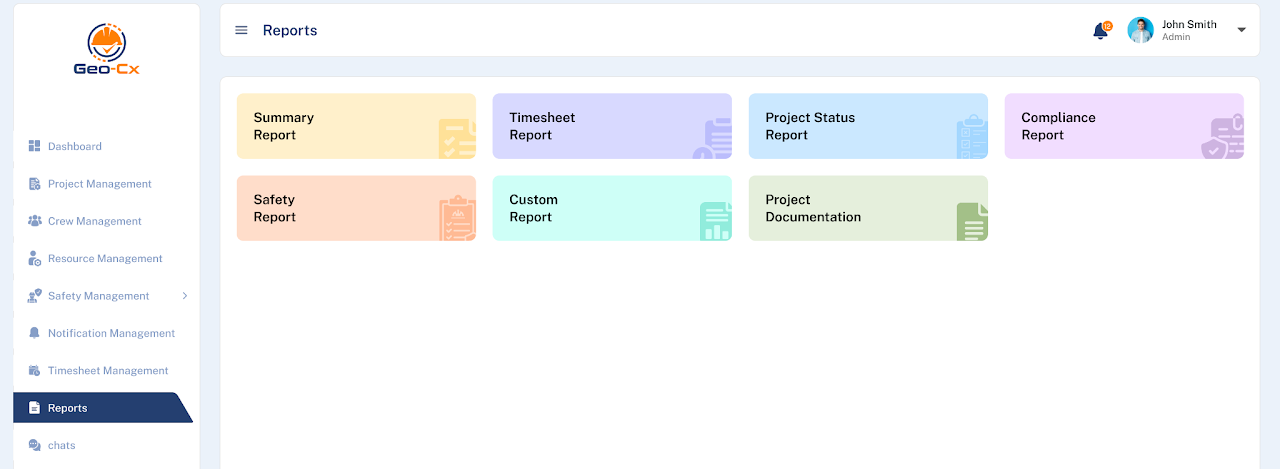
Reports Dashboard
In the Reports dashboard, users will see a grid layout with the following report options: each displayed as a color-coded card for easy identification:
Summary Report
Offers a high-level overview of key project metrics including labor hours, cost estimates, and resource allocations.Timesheet Report
Displays detailed logs of employee timesheets, including regular and overtime hours, ideal for payroll and time tracking audits.Project Status Report
Provides an up-to-date summary of the project’s progress, milestones, pending tasks, and completion percentages.Compliance Report
Focuses on regulatory and internal compliance checks, highlighting any deviations, non-conformances, or overdue audits.Safety Report
Contains safety observations, incident logs, and inspection outcomes to help ensure project site safety and compliance with safety standards.Custom Report
Enables users to create tailored reports by selecting specific filters, fields, and data ranges based on project or resource criteria.