
Show/Hide KB
▼
Knowledge Base
- Home
- Roles ▼
- Registration ▼
- Main Dashboard ▼
- Project Management ▼
- Crew Management
- Resource Management ▼
- Form Builder ▼
- Safety Management ▼
- Documentation Management ▼
- New Submission
- Global Communications
- Timesheet Management ▼
- Reports ▼
- Chats
- Time Off Management
- Profile
- Subscriptions
- Location Tracking Behavior on iOS and Android
- FAQs
- Troubleshooting
Timesheet Report
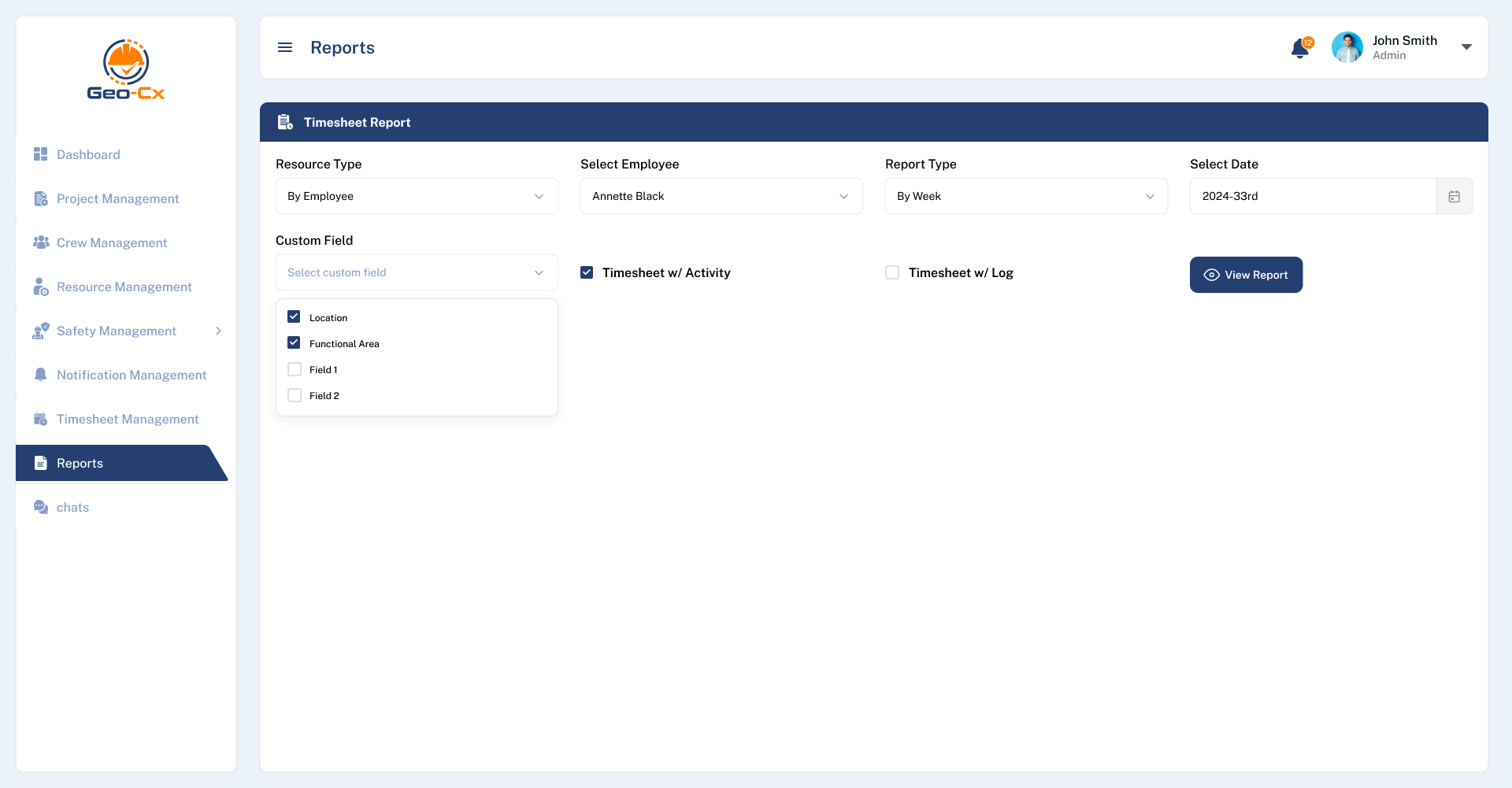
The Timesheet Report section in Geo-Cx allows users to track work hours across employees or crews over different timeframes. This report is essential for attendance monitoring, payroll preparation, and labor performance analysis.
Example Use Case
If an admin wants to review weekly hours for Annette Black and Brennda Smily.
Select By Employee in Resource Type.
Choose both employee names in Select Employee.
Choose By Week as Report Type.
Select the relevant week in Select Date.
Once the filters are set, the system will display a detailed breakdown of regular and overtime hours per day, based on timesheet data submitted.