Knowledge Base
- Home
- Roles ▼
- Registration ▼
- Main Dashboard ▼
- Project Management ▼
- Crew Management
- Resource Management ▼
- Form Builder ▼
- Safety Management ▼
- Documentation Management ▼
- New Submission
- Global Communications
- Timesheet Management ▼
- Reports ▼
- Chats
- Time Off Management
- Profile
- Subscriptions
- Location Tracking Behavior on iOS and Android
- FAQs
- Troubleshooting
Safety Management (Web)
The Safety Management module is your central hub for all forms and reports related to Safety. This includes submitting safety forms, reviewing safety submissions, tracking injuries reported by company members, and managing your assigned audits as a Safety Representative.
Features
a. Submit a Safety Document
Submit form related with safety documents.
b. View Safety Submissions
View and manage submitted safety related documents.
c. Audits
- Shortcut to view and manage all your audits documents.
d. Injury
Track and manage injury reports.
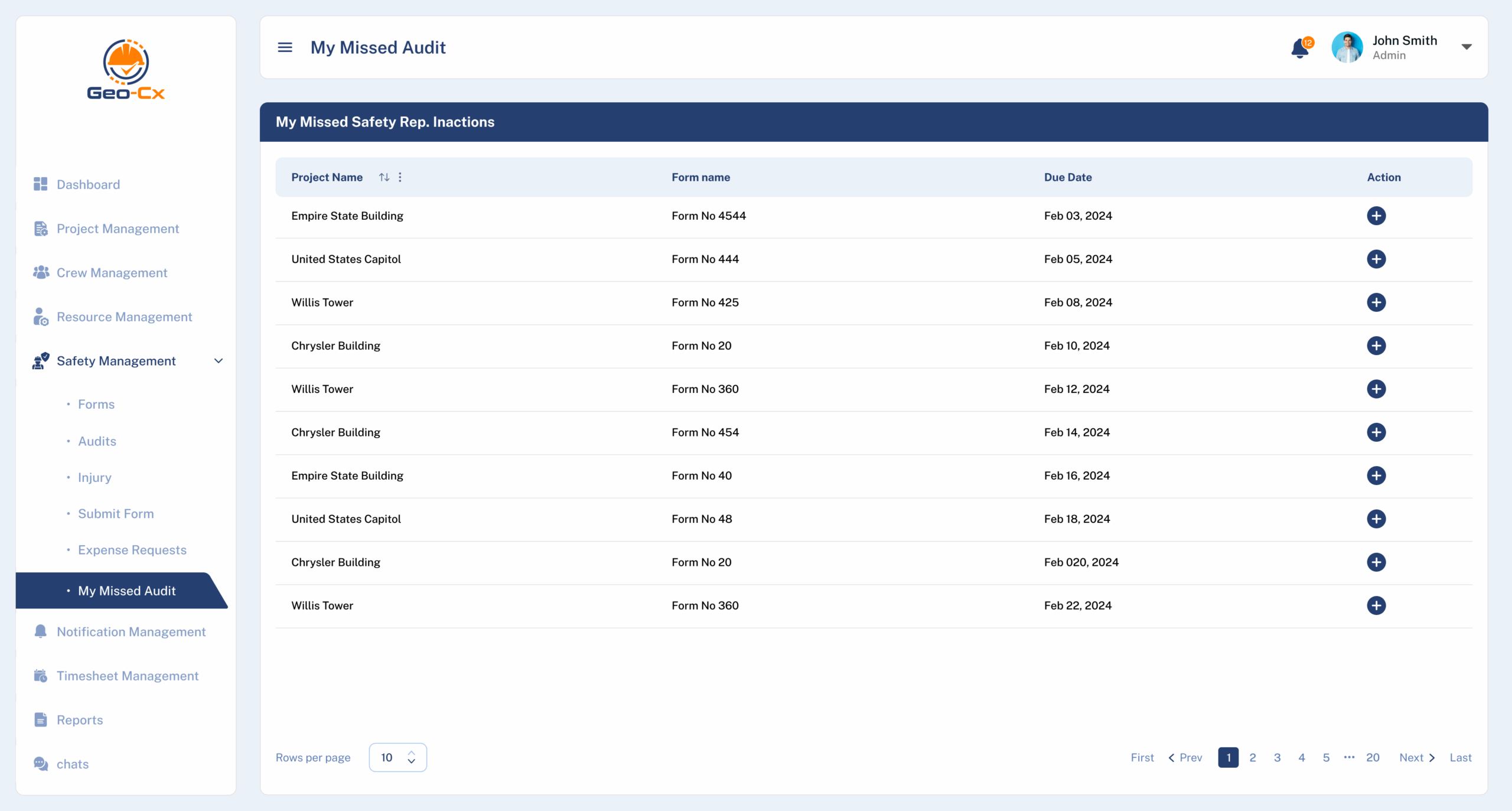
e. My Missed Audits
- See all your assigned audits.
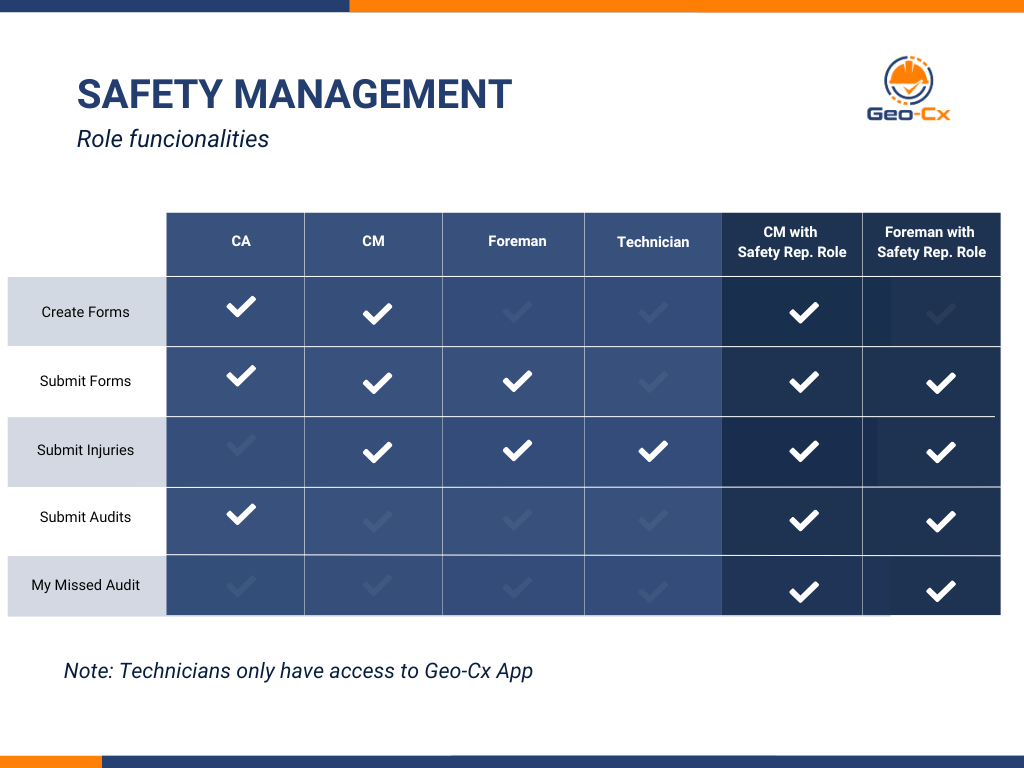
Roles Functionalities
Safety Forms (App) – Safety Rep. Role Only
Safety Forms
Instructions:
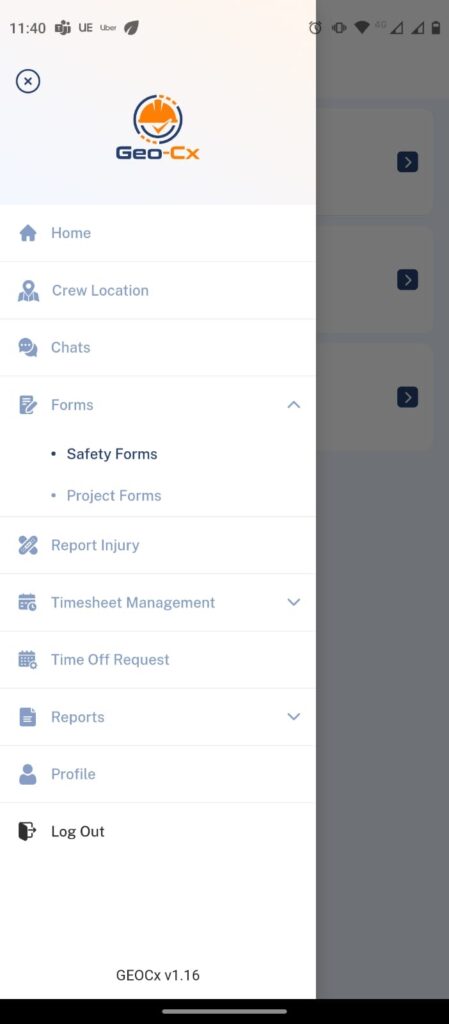
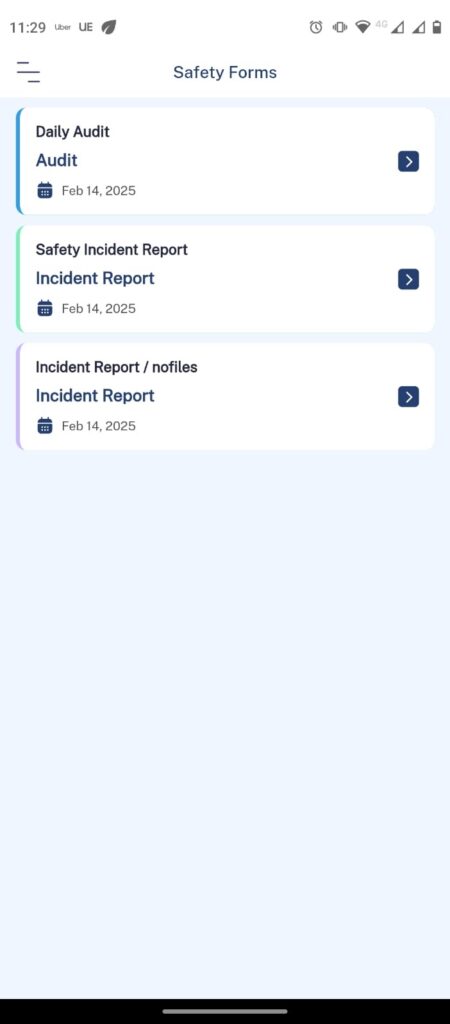
Tap on the ‘Forms’ option in the side menu and select ‘Safety Forms’. This will display all previously designed forms available for use within the company, including Audits and Incident Reports.
Audits & Incident Reports
Instructions:
Choose one of the available forms to fill out.
Complete all the required fields in the form.
If you are filling out an Audit, you will need to select either ‘Pass’ or ‘Fail’. This status will then be visible on the dashboard for the Safety Representative to review regularly.
My Missed Audit Web (Safety Rep. Only)
As a Safety Rep, you have the ability to view and complete any audits that were missed. If an audit is not completed on its scheduled day, it will be marked as ‘Missed’. This status will trigger an increase in the Safety Rep Metric, adding one to the counter each time. Please note, once a missed audit is submitted, the system will record the date of submission and classify the audit as ‘Late’.