
Show/Hide KB
▼
Knowledge Base
- Home
- Roles ▼
- Registration ▼
- Main Dashboard ▼
- Project Management ▼
- Crew Management
- Resource Management ▼
- Form Builder ▼
- Safety Management ▼
- Documentation Management ▼
- New Submission
- Global Communications
- Timesheet Management ▼
- Reports ▼
- Chats
- Time Off Management
- Profile
- Subscriptions
- Location Tracking Behavior on iOS and Android
- FAQs
- Troubleshooting
Forgot Password / PIN
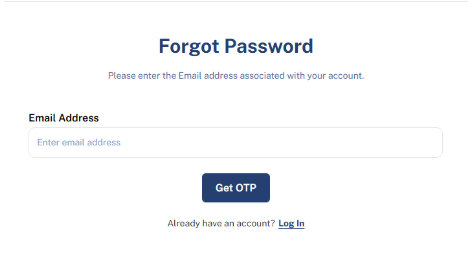
Forgot Password
This is a “Forgot Password” interface where users can request a One-Time Password (OTP) to reset their account password. Below is a description of the interface and its components:
“Already have an account? Log In” provides a link for users to return to the login page if they recall their password.
Instructions for Users
Enter the email address associated with your account in the provided input field.
Click the Get OTP button.
Check your email inbox for the OTP and follow the subsequent instructions to reset your password.
If you remember your password, click Log In to return to the login page.
Forgot PIN (App)
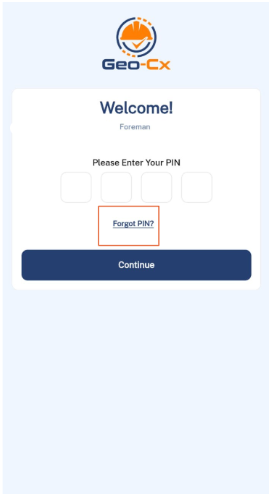
Forgot PIN
Tap on the checkbox Forgot PIN? to complete the steps and change your PIN.
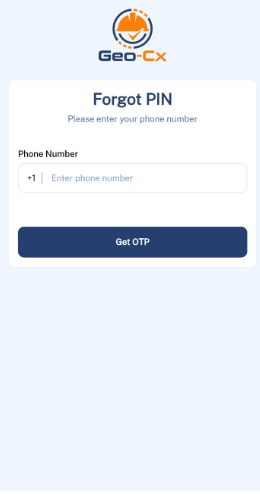
OTP
2. Enter your phone number and you will receive an OTP with instructions to set a new PIN.