
Knowledge Base
- Home
- Roles ▼
- Registration ▼
- Main Dashboard ▼
- Project Management ▼
- Crew Management
- Resource Management ▼
- Form Builder ▼
- Safety Management ▼
- Documentation Management ▼
- New Submission
- Global Communications
- Timesheet Management ▼
- Reports ▼
- Chats
- Time Off Management
- Profile
- Subscriptions
- Location Tracking Behavior on iOS and Android
- FAQs
- Troubleshooting
Compliance Report
The Compliance Report module in Geo-Cx provides a yearly overview of key safety and workforce statistics required for internal audits or regulatory submissions. It compiles workforce size, activity, and safety metrics into a concise summary that can be reviewed, exported, and retained as official documentation.
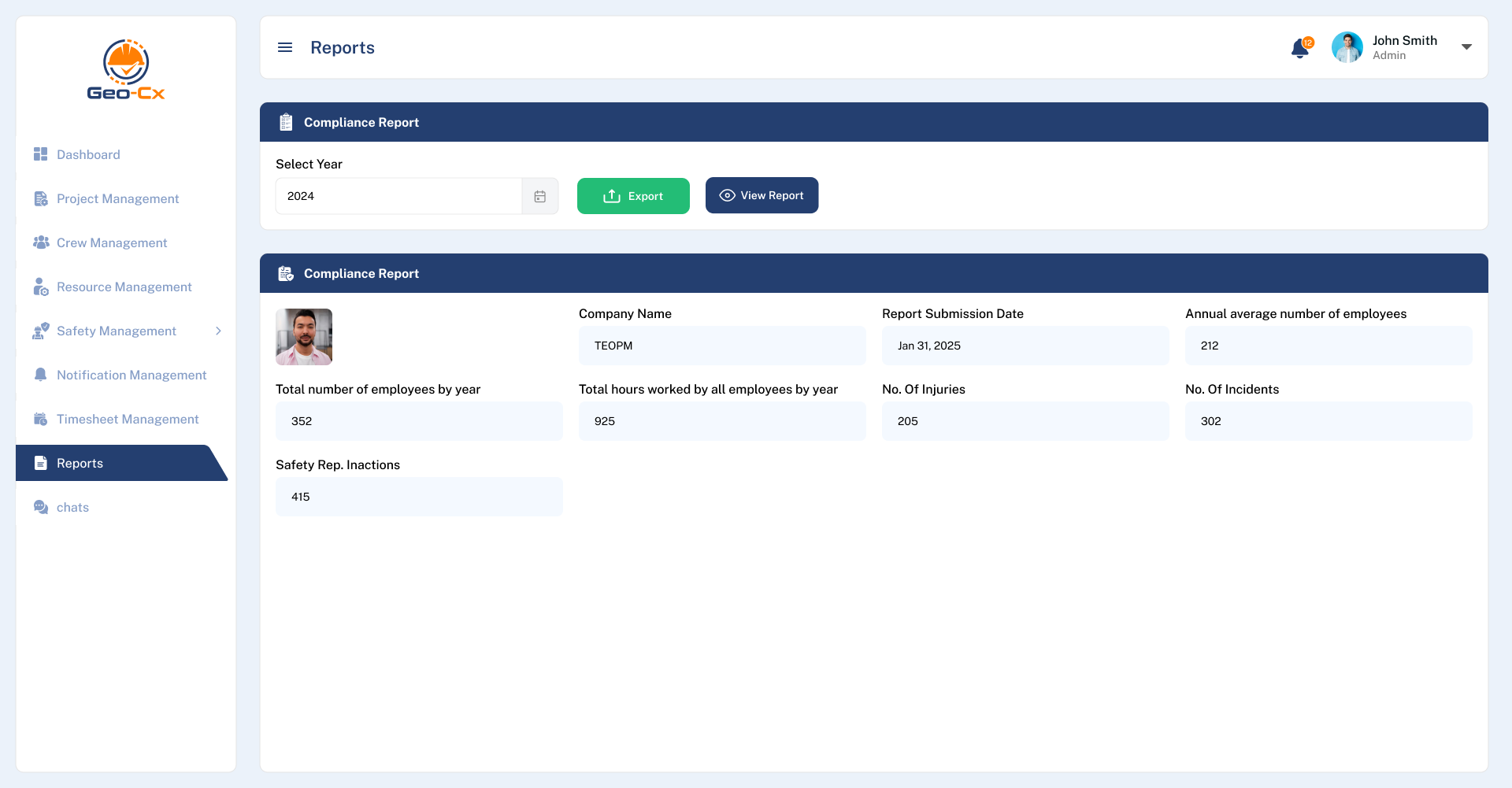
Filter by Year
At the top of the module, users can:
Select a year from a dropdown or calendar input.
Click “View Report” to generate the report for the selected year.
Click “Export” to download the data for sharing or recordkeeping.
Compliance Report Summary
Once the year is selected, the following data is presented:
Company Name: Automatically filled based on account info (e.g., TEOPM).
Report Submission Date: The date the report is generated or submitted (e.g., Jan 31, 2025).
Total Number of Employees by Year: Reflects the total count of individuals employed during the year.
Annual Average Number of Employees: Average workforce size throughout the year.
Total Hours Worked: Cumulative number of hours worked by all employees during the year.
No. of Injuries: Total recorded injuries.
No. of Incidents: Total reported safety-related incidents.
Safety Rep. Inactions: Number of missed or late actions by safety representatives.
A user photo or admin image may also be displayed as part of the report identity.