
Show/Hide KB
▼
Knowledge Base
- Home
- Roles ▼
- Registration ▼
- Main Dashboard ▼
- Project Management ▼
- Crew Management
- Resource Management ▼
- Form Builder ▼
- Safety Management ▼
- Documentation Management ▼
- New Submission
- Global Communications
- Timesheet Management ▼
- Reports ▼
- Chats
- Time Off Management
- Profile
- Subscriptions
- Location Tracking Behavior on iOS and Android
- FAQs
- Troubleshooting
New Submission (Web)
The New Submission module is where you submit a form. This will display all previously designed forms available to use within the project.
The New Submission module is used to create and submit new forms within Geo-CX.
To submit a form:
- Select a Project from the dropdown menu
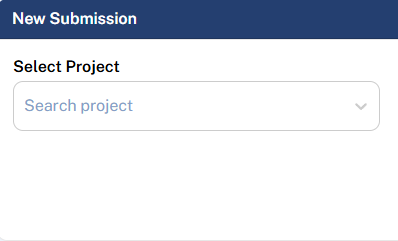

- This will display all available forms associated with the selected project
2. Choose a form by either:
- Using the search bar to locate a specific form, or
- Selecting a form from the list provided
3. Complete the required fields within the form
4. Submit the form once all information has been entered
This module ensures that all submissions are properly associated with the correct project and standardized forms.