Knowledge Base
- Home
- Roles ▼
- Registration ▼
- Main Dashboard ▼
- Project Management ▼
- Crew Management
- Resource Management ▼
- Form Builder ▼
- Safety Management ▼
- Documentation Management ▼
- New Submission
- Global Communications
- Timesheet Management ▼
- Reports ▼
- Chats
- Time Off Management
- Profile
- Subscriptions
- Location Tracking Behavior on iOS and Android
- FAQs
- Troubleshooting
Report Injury
Description
The Report Injury module is designed to streamline the process of documenting and reporting workplace injuries. It provides a user-friendly interface that allows employees to quickly and accurately report incidents, ensuring timely communication and appropriate response.
Reporting an Injury
To ensure workplace safety and immediate response, the Geo-Cx app includes a “Report Injury” feature. Follow these steps to report an injury:
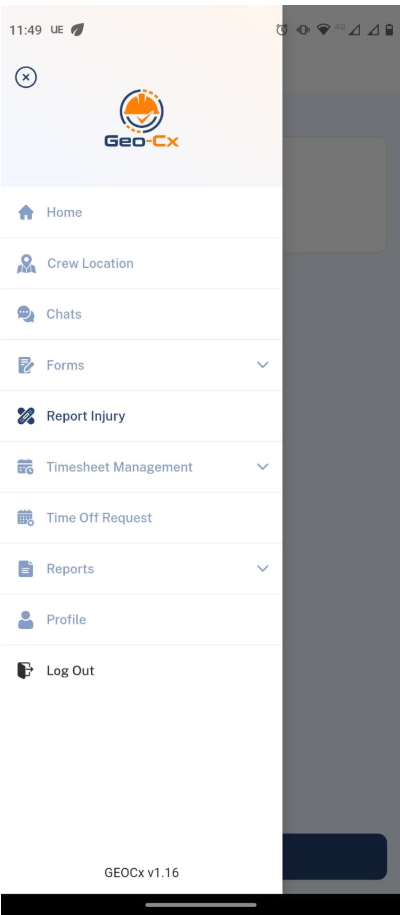
Navigate to Report Injury: From the main menu, select the “Report Injury” option.
Enter Injury Details:
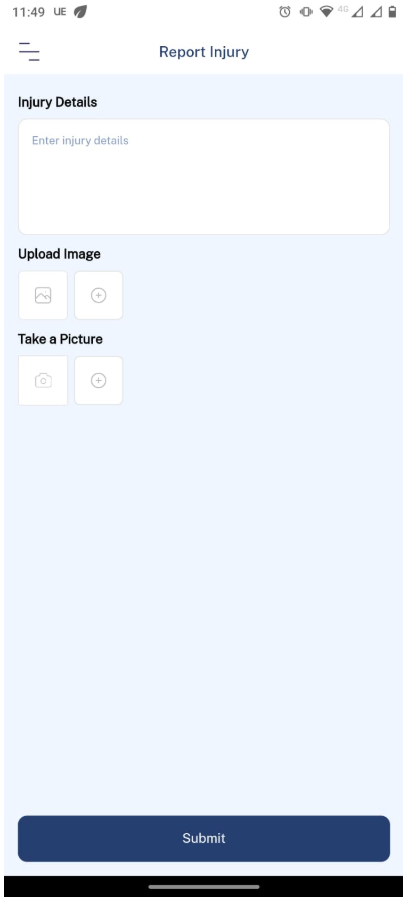
In the “Injury Details” text box, describe the nature and circumstances of the injury.
Be as detailed as possible to ensure the appropriate response.
Upload Images:
Tap on the “Upload Image” button to select images from your device that document the injury or the scene.
Alternatively, you can use the “Take a Picture” option to capture new images. Simply tap the camera icon and follow your device’s prompts to take and save the photo.
Submit the Report:
Once all details and images are added, tap the “Submit” button to send the report to the management team for immediate action.
Note: Construction Manager and Foreman will be notified immediately after submission.
Injuries (Web)
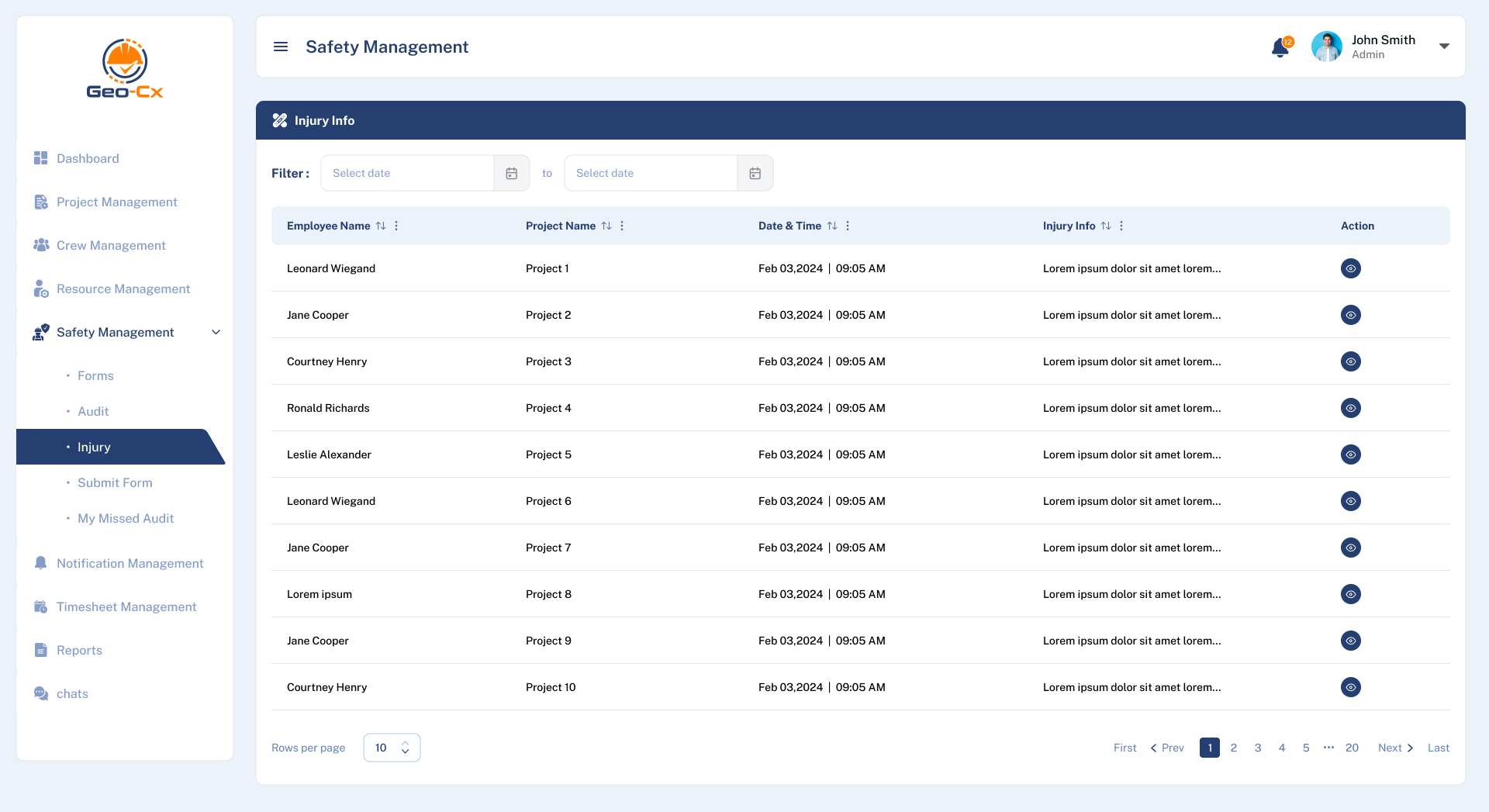
This section contains a consolidated list of all Injuries reported within projects. Injuries can be reported via web or mobile, and all records appear here.
Injury List
The table includes the following columns:
Employee Name
Project Name
Date and Time
Injury Info (Summary)
Actions
Use the Start Date and End Date filters at the top to narrow down the list.
Injury Actions
Click the buttons in the Actions column for a specific injury:
View: Opens the complete injury record, showing all submitted information and any photos attached at the time of reporting. You can expand photos for better visibility.
Export: Generates a PDF report of the injury for your records. This PDF includes all information and embedded photos at a standard resolution for clarity.
Important Note: Please exercise caution, as some injury photos may contain sensitive content from field incidents.