Knowledge Base
- Home
- Roles ▼
- Registration ▼
- Main Dashboard ▼
- Project Management ▼
- Crew Management
- Resource Management ▼
- Form Builder ▼
- Safety Management ▼
- Documentation Management ▼
- New Submission
- Global Communications
- Timesheet Management ▼
- Reports ▼
- Chats
- Time Off Management
- Profile
- Subscriptions
- Location Tracking Behavior on iOS and Android
- FAQs
- Troubleshooting
My Missed Audits
(This section is only visible and enabled for users with the Safety Representative role.)
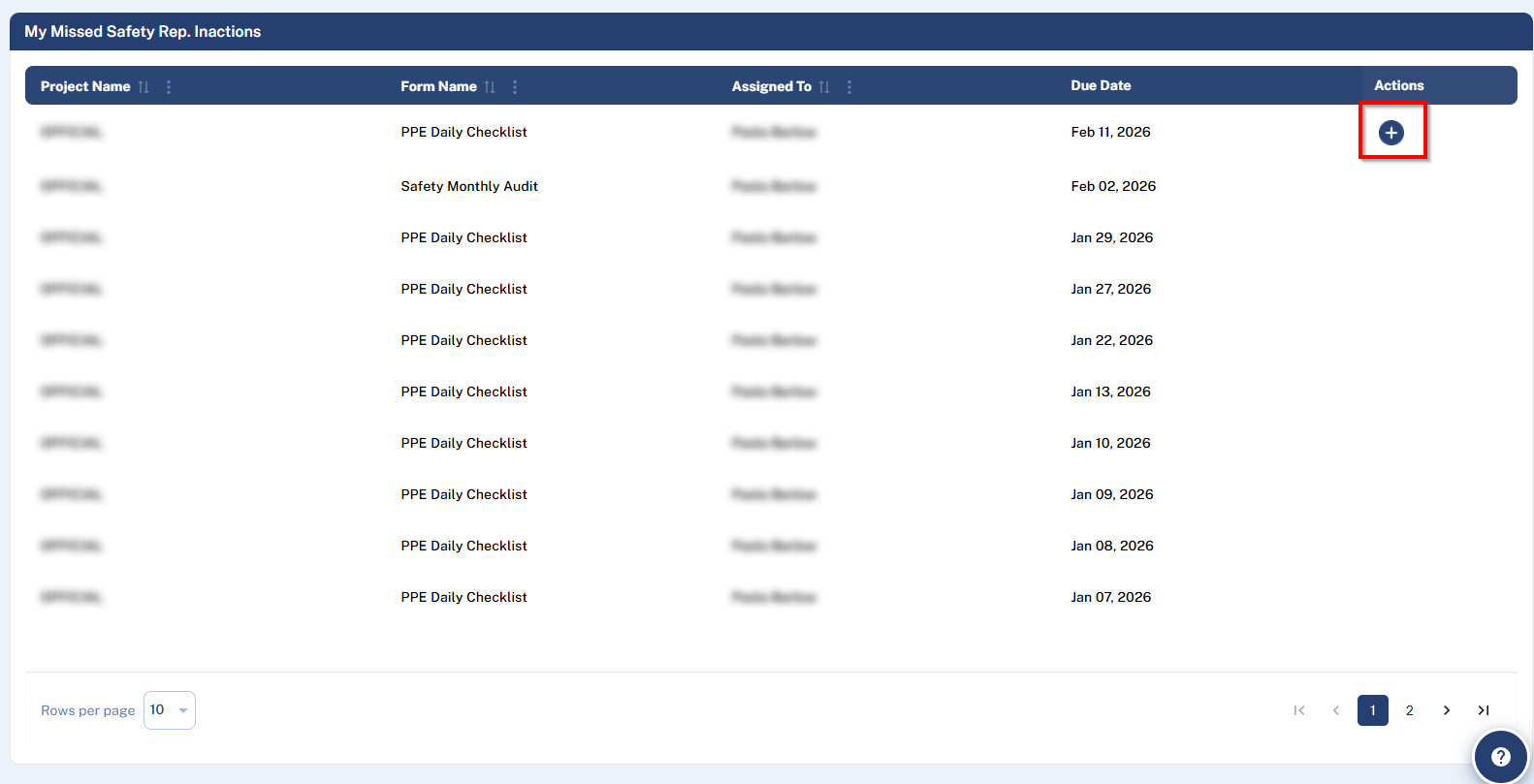
This screen provides a critical list of all Audits that were not completed and were assigned to you.
Understanding Missed Audits
As explained in the Audits article, you have a 1-day grace period after an Audit’s Due Date to complete it. If the audit is not submitted within this period, it becomes inaccessible and is marked as a Safety Representative Inaction on your user record.
My Missed Audits List
The table shows your overdue audits with these columns:
Project Name
Form Name
Assigned To
Due Date
Actions
Completing a Missed Audit
If the missed audit is within the 1-day grace period, the Actions column will contain an option to Complete the form.
If more than 1 day has passed since the Due Date, this action will not be available, and the audit will remain on your list as a record of the missed deadline.