Knowledge Base
- Home
- Roles ▼
- Registration ▼
- Main Dashboard ▼
- Project Management ▼
- Crew Management
- Resource Management ▼
- Form Builder ▼
- Safety Management ▼
- Documentation Management ▼
- New Submission
- Global Communications
- Timesheet Management ▼
- Reports ▼
- Chats
- Time Off Management
- Profile
- Subscriptions
- Location Tracking Behavior on iOS and Android
- FAQs
- Troubleshooting
View Document Submissions
This section allows you to review, manage, and export all form submissions, provided you have the necessary viewing permissions.
Search and Filters
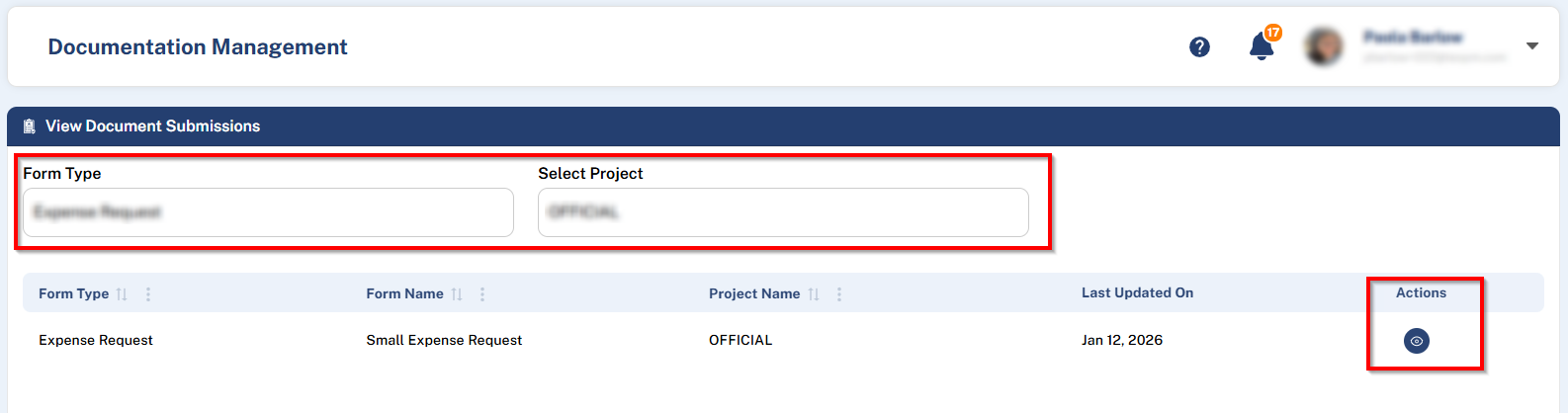
Use the filters at the top of the page to quickly locate the submissions you need:
Filter by Form Type
Filter by Project
The information displays forms, showing:
Form Type
Form Name
Project Name
Last Updated On
Actions
Available Actions
Once you identify the form, click the ellipsis (⋯) in the Actions column to display the available options:
View Submitted Data
Export to Excel
View Submitted Data
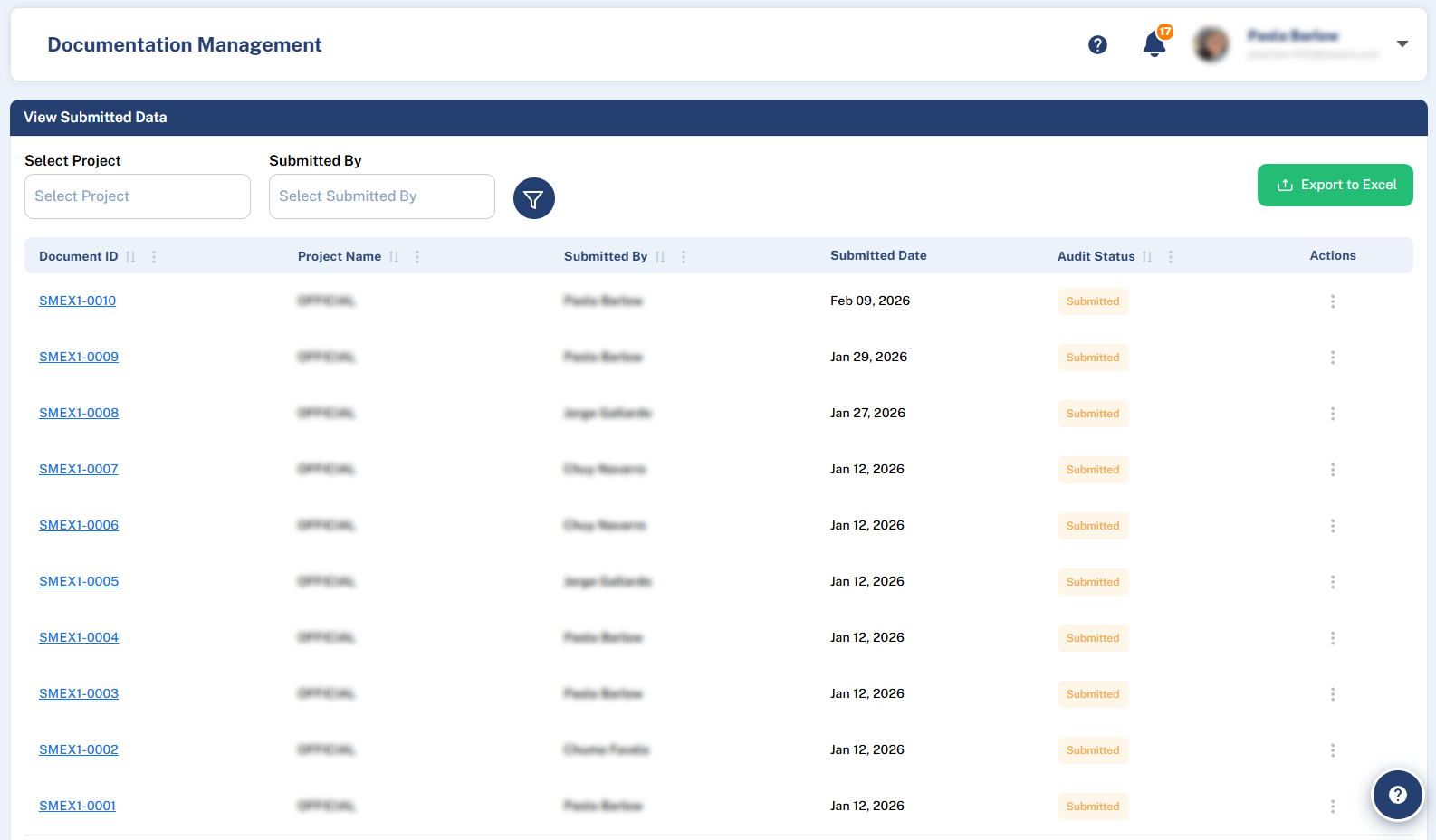
Clicking View Submitted Data opens a detailed list of all submissions for that specific form.
Submission List: This table can be filtered by Project (as a form can be active in multiple projects). It contains:
Document ID: A clickable link that opens a PDF version of that specific submission.
Project Name
Submitted By
Actions
Export Data: A button at the top-right of the table allows you to Export to Excel all submissions in the current view.
3. Submission Actions (Ellipsis Menu): For each individual submission, the Actions menu provides two key functions:
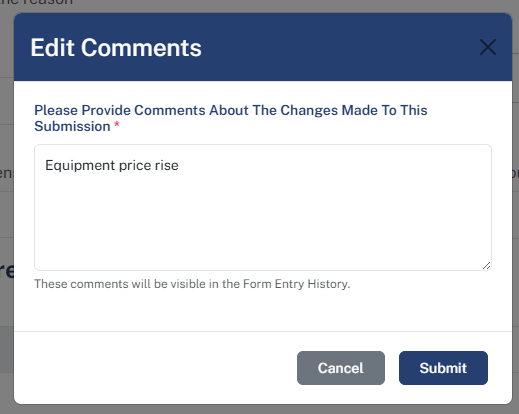
Edit: Opens the original form pre-filled with all existing answers. You can modify any field as needed. Upon clicking Submit after editing, a modal will appear prompting you to add comments explaining the changes for full transparency.
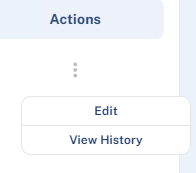
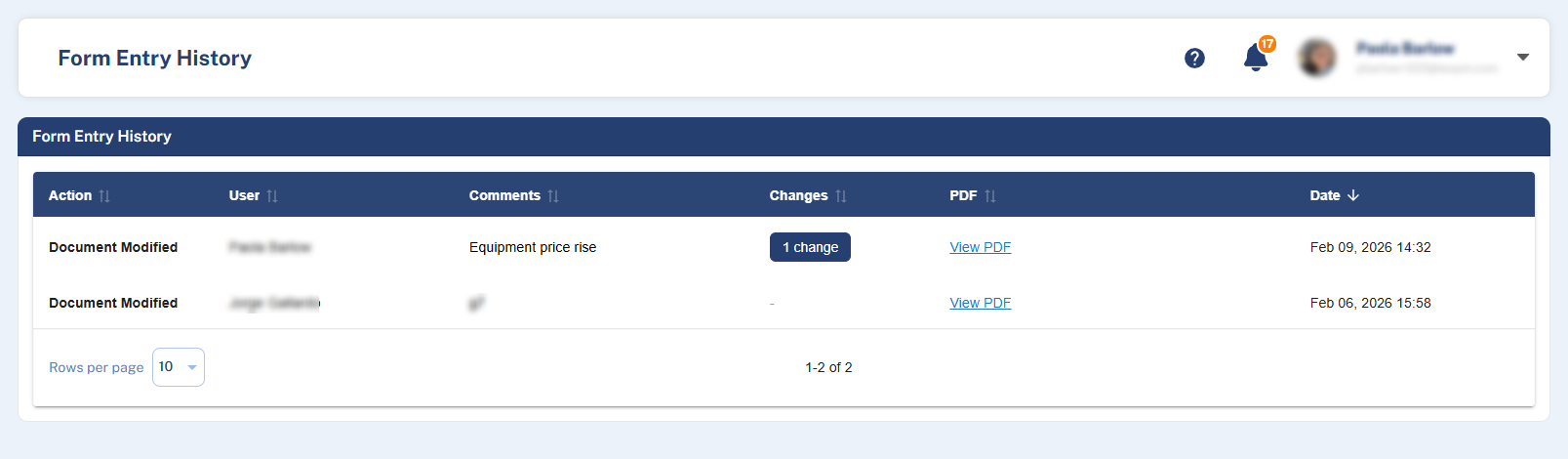
View History: Opens an audit trail showing all modifications made to this submission. The history table includes:
Action: (e.g., “Submitted” or “Modified”)
User: Who performed the action
PDF: Links to the document version before and after changes
Comments: Notes provided during edits
Changes: A summary of the specific field modifications
Date: Timestamp of the action